Protect Your Data 

with CrashPlan for Endpoints

Secure computer backup and recovery for your laptop.

Commonwealth Financial Network Advisors:

Get 15% off monthly subscriptions, 30% off 1-year subscriptions, and 35% off 2-year subscriptions for as long as you keep CrashPlan.
Animated College Student sitting on a couch with a laptop.

How do I sign up?

  1. Decide on your “Subscription type” — monthly, 1 year, 2 years
  2. Head to the checkout page
  3. Enter your info and hit “continue”
  4. Choose number of users
  5. Type in the promo code based on which plan you’d like and click “Apply Promo”
    • Monthly: COMMONWEALTH15
    • 1-year: COMMONWEALTH30
    • 2-year: COMMONWEALTH35
  6. Enter your credit card information
  7. You will receive an email with login credentials and instructions on how to set it up
  8. Commonwealth Advisors are encouraged to familiarize themselves with Commonwealth’s Acceptable Use Conditions for CrashPlan prior to using the tool.
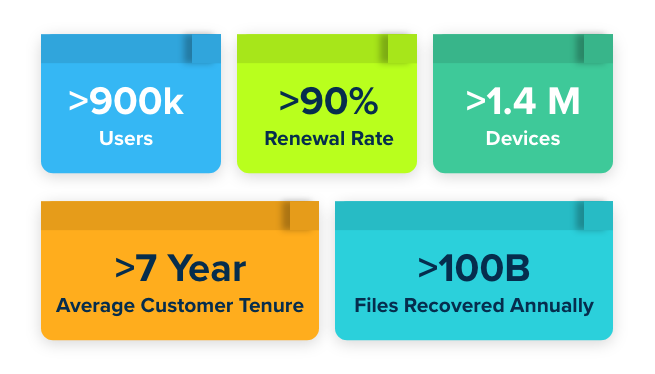
Graphics showing CrashPlan for MSP stats, such as how CrashPlan has an average customer tenure of over 7 years

What is CrashPlan?

CrashPlan is a backup and recovery software that protects everything on your computer by automatically backing it up every 15 minutes. Whether you spill coffee on your laptop, accidentally delete a folder of photos that you wanted, or your laptop gets stolen – you can quickly recover the file(s).

It includes unlimited storage and file versioning and works with Windows, Mac, and Linux. CrashPlan is trusted by over 900k+ users globally, including 7 of 8 Ivy League schools.

Quick facts about

CrashPlan for Endpoints

Protect the data that matters most.

Lock-in your data so you can always stay moving. We can help.