Flexible & Comprehensive
Endpoint Backup & Recovery
Critical work still lives on endpoints. Make it recoverable, without burdening IT.
- Windows · Windows on ARM · macOS · Linux
- Your storage or ours
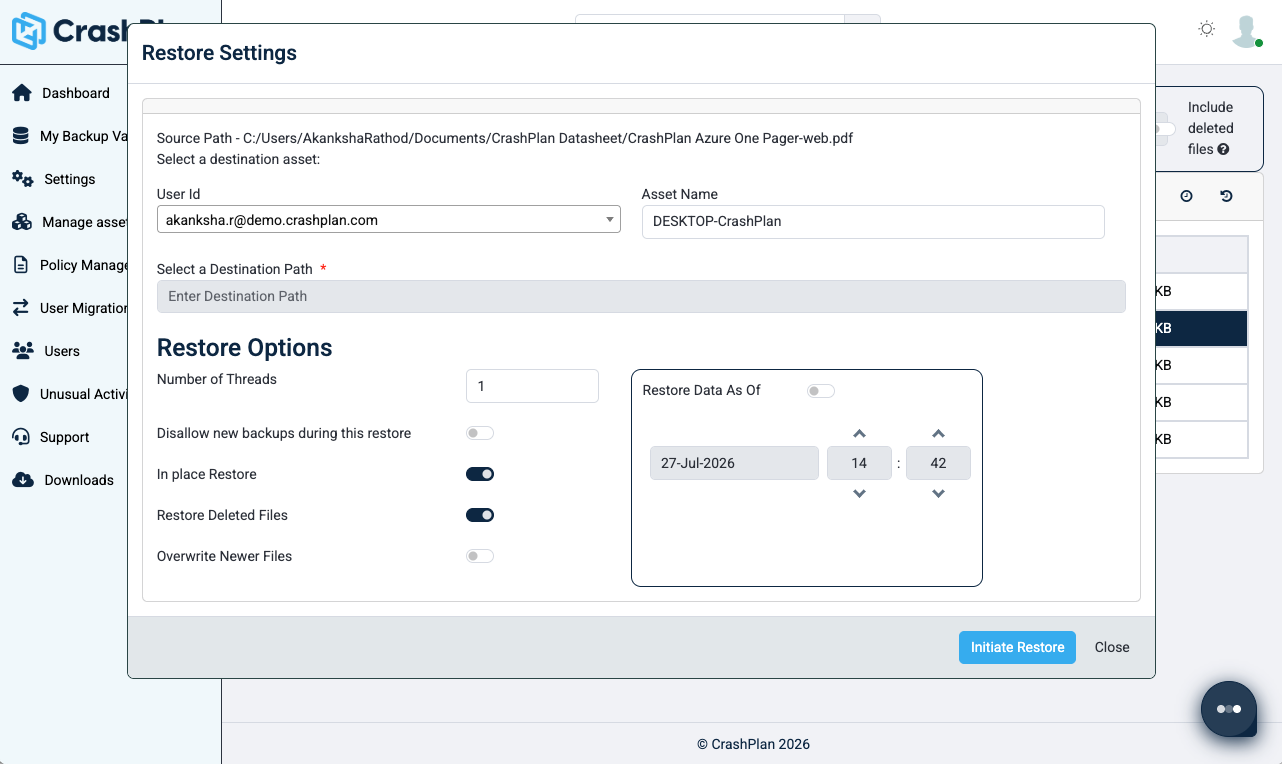
- Self-service restore
Critical work still lives on endpoints. Make it recoverable, without burdening IT.

CrashPlan gives IT greater flexibility over storage, recovery, and administration while keeping data protection automatic for employees. Your endpoint backup strategy should fit your environment—not force your environment to fit the backup product.

CrashPlan-managed storage
50GB/user of capacity (pooled) in Azure or CrashPlan’s own data centers included with your subscription. Add additional storage blocks as needed.
Customer-managed storage
You also have the option to store your backups in your own Azure, AWS, Wasabi, Backblaze, or another S3-compatible cloud destination

Prevent tampering and ensure trusted, recoverable copies with immutable backup storage.

Protect data with AES-256 encryption at rest and TLS 1.2 in transit, with configurable encryption key management.

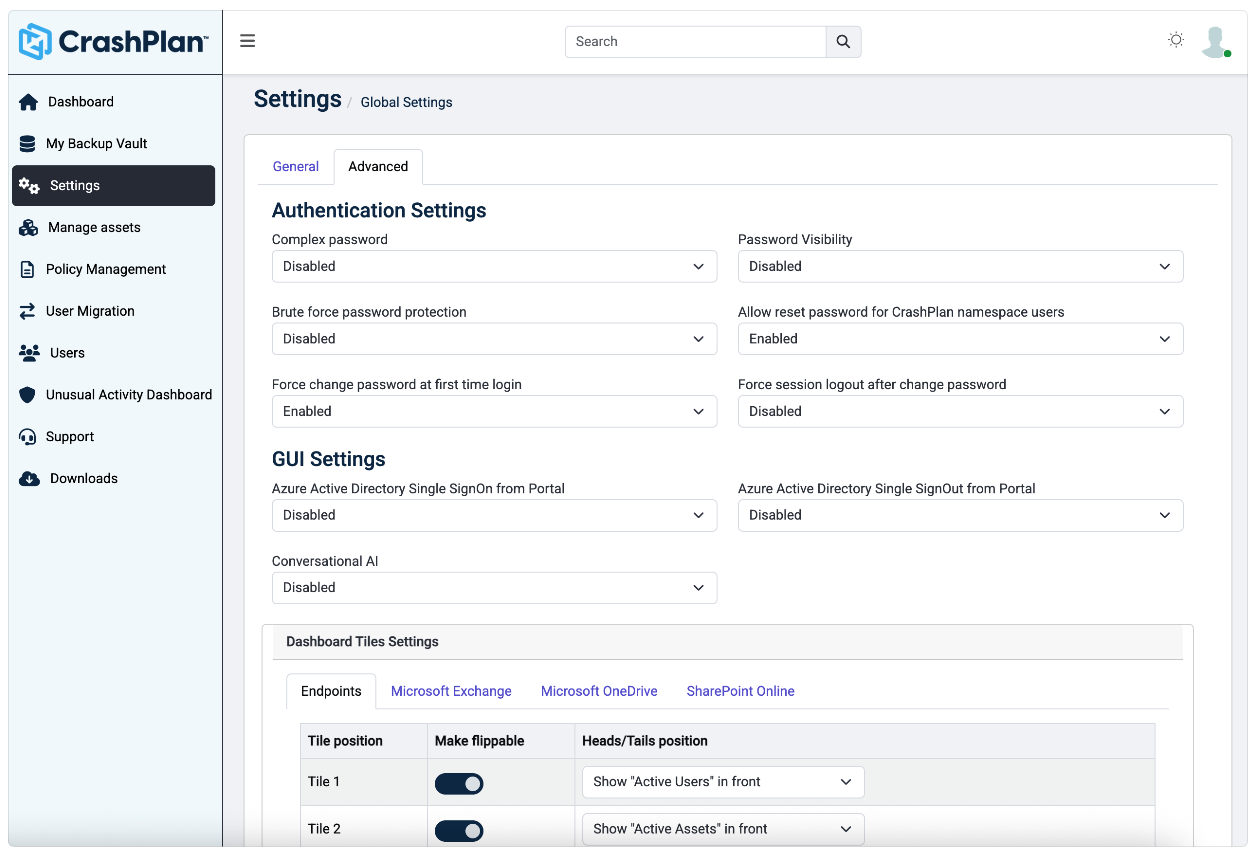
Limit access and delegate administrative responsibilities based on organizational roles.

Centrally define version aging, retention, legal-hold requirements, and defensible deletion policies.

Maintain audit trails for backup, recovery, and administrative activity.

Monitor file activity, identify unusual behavior, and receive alerts to help protect endpoint data.
Proven endpoint protection for organizations at scale
“We are very happy that we took the decision to use CrashPlan for our data backup needs. The solution has helped us ensure all our
enterprise data is safely backed up in the cloud and that we have ready access to it anytime. The data protection it offers and the ease of implementation/use are topped up with a very strong support team. We recommend CrashPlan for Endpoints.”
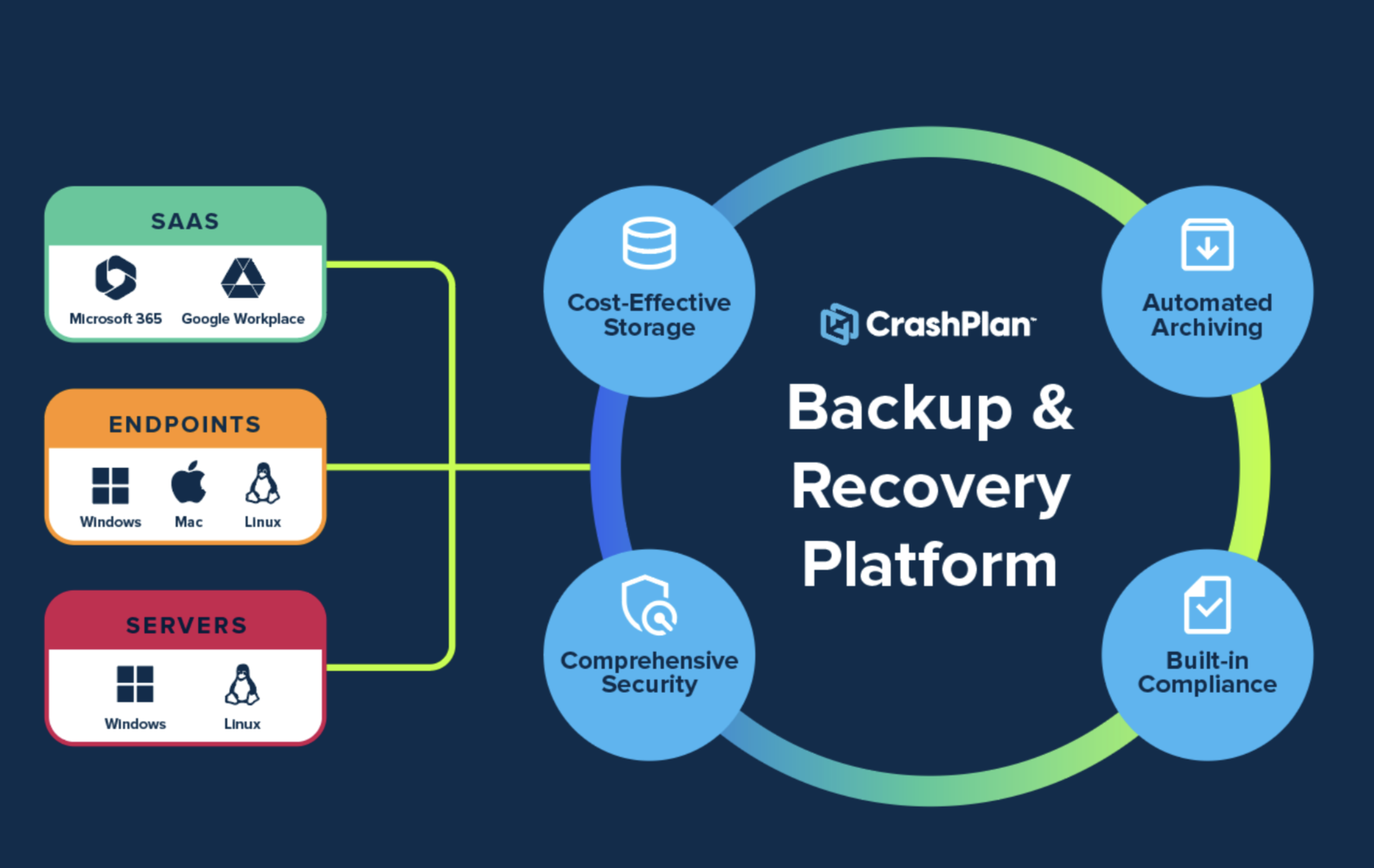
Protect user data across endpoints, SaaS applications, and servers
Fortify your server-based resources with a comprehensive protection solution that enables rapid recovery from interruptions. Equipped with advanced security features and adaptable storage, it maintains the resilience of your core infrastructure.
Secure your business-critical Microsoft 365 data. CrashPlan backs up all the files and emails in Exchange Online, SharePoint, and OneDrive. Effortless, feature-rich backup and restore to keep your employees collaborating and your business moving.
Free yourself from Gmail and Google Drive’s limited retention, versioning, and recovery capabilities. Meet compliance requirements, protect against ransomware, and enable your employees to recover from data loss quickly and easily.
CrashPlan endpoint backup is an enterprise backup and recovery solution for business data stored on Windows, Windows-on-ARM, macOS, and Linux devices. It automates incremental backups, applies administrator-defined policies, and supports employee or administrator recovery through centralized management.
CrashPlan is designed for enterprise and institutional IT organizations managing distributed or mixed operating-system environments. It gives administrators centralized control over endpoint protection, storage, policy, visibility, and recovery.
CrashPlan-managed storage can be hosted in Microsoft Azure or CrashPlan proprietary data centers. Organizations can also use supported customer-managed storage in Azure, AWS, Wasabi, Backblaze, or another compatible S3 destination.
Yes. CrashPlan supports customer-managed storage in Microsoft Azure, Amazon Web Services, Wasabi, Backblaze, and other supported S3-compatible storage environments.
CrashPlan performs automatic, incremental backups according to intervals defined by the administrator. Organizations can customize backup frequency to fit their protection requirements and endpoint environment.
Yes. Administrators can configure backup intervals, file selection, versioning, version aging, retention, user quotas, and optional CPU or network-bandwidth throttling.
No. OneDrive and other collaboration platforms help employees sync, share, and access files, but they do not create an independent, policy-controlled backup of all business data stored across employee endpoints. Sync can also propagate unwanted changes, including encrypted, corrupted, or deleted files.
Yes. CrashPlan supports employee self-service recovery. Employees can restore selected files without waiting for IT to complete the request.
Yes. Administrators determine whether employees can use self-service recovery and can keep restores under administrator control when required.
CrashPlan Platform endpoint backup supports Windows, Windows on ARM, macOS, and Linux.
Yes. CrashPlan supports Windows-on-ARM endpoints, including compatible Microsoft Surface devices and other supported ARM-based Windows hardware.
No. CrashPlan is an independent company. CrashPlan maintains an enterprise backup and recovery platform that protects endpoints, Microsoft 365, Google Workspace, and Windows and Linux servers. CrashPlan is distinct from Code42.
No. The CrashPlan offering at smb.crashplan.com is designed for small businesses and is available through a self-service free trial and online purchase experience. The enterprise offering described on this page is purchased through the CrashPlan sales team and is designed for organizations with more complex endpoint, storage, administration, and governance requirements.
CrashPlan Platform endpoint backup is licensed per user. Each licensed user includes 50 GB of pooled managed storage, with additional capacity and customer-managed storage options available.
CrashPlan is the enterprise platform for resilient, secure, and cost-effective backup and recovery. Purpose-built to safeguard critical data across endpoints, servers, and SaaS applications, CrashPlan empowers organizations to maintain business continuity, meet compliance standards, and protect the ideas that drive growth—without disrupting end users. CrashPlan helps enterprises and institutions reduce storage costs with innovative storage strategies, like zero-cost backup to OneDrive, while maintaining control and visibility across their backup environment.
Privacy | Legal | Cookie Notice | Free Trial