Secure, Easy & Cost-effective
Server Backup and Recovery
Protect your on-prem servers with CrashPlan’s unified platform designed to protect user data across servers, endpoints, Microsoft 365, and Google Workspace.
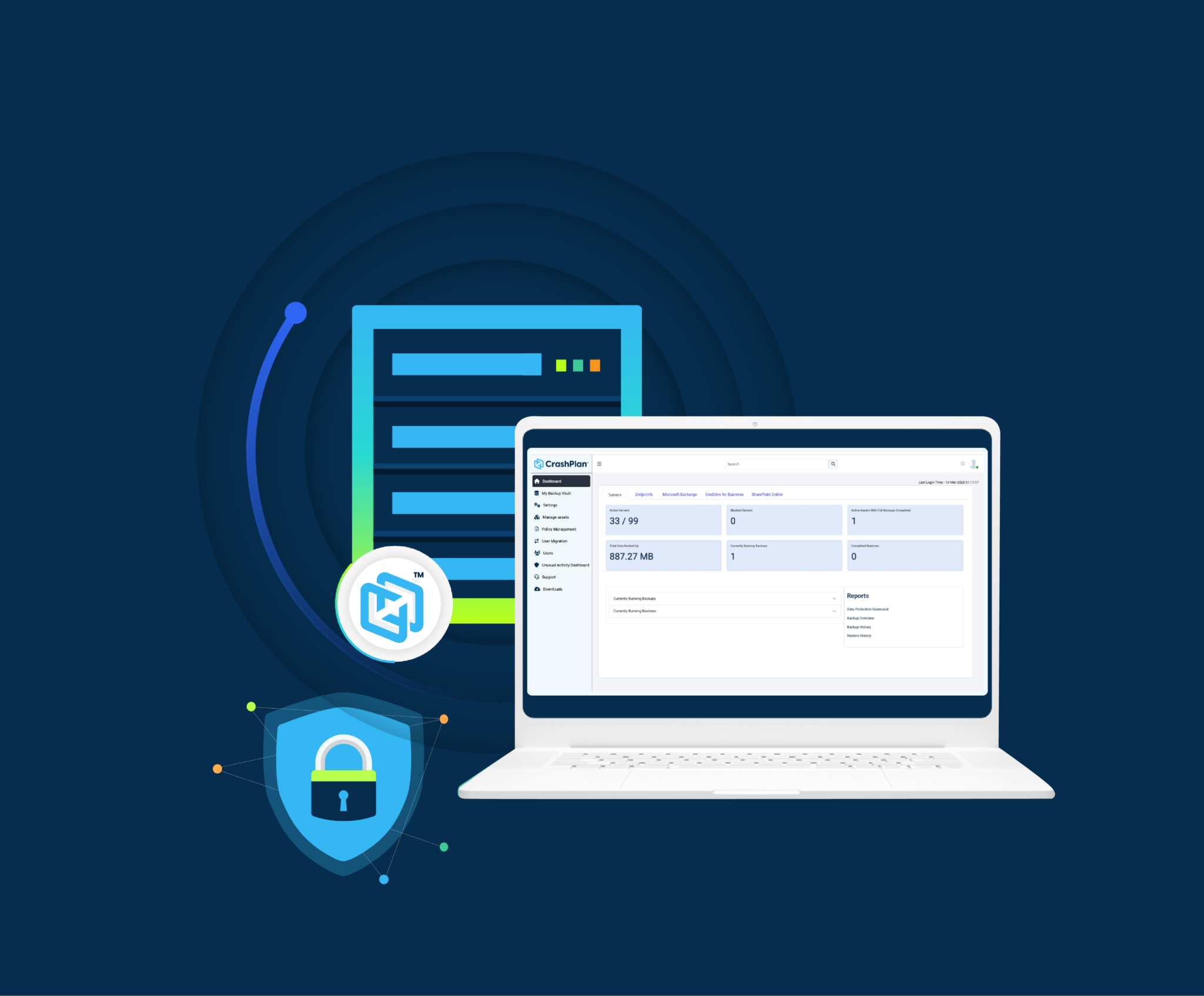

Protect your on-prem servers with CrashPlan’s unified platform designed to protect user data across servers, endpoints, Microsoft 365, and Google Workspace.
Important user data lives on servers. File shares, team data, application data. The things people rely on every day.
When that data is lost, it is not just one user affected. It can impact entire teams or core business processes.
In many environments, servers are backed up separately from the more user-centric data that lives on endpoints and Microsoft 365.
That usually means:
Over time, that creates gaps, slows things down, and adds more work for IT.
CrashPlan lets you bring server backup into the same intuitive platform that already protects user data, so everything is easily protected together.
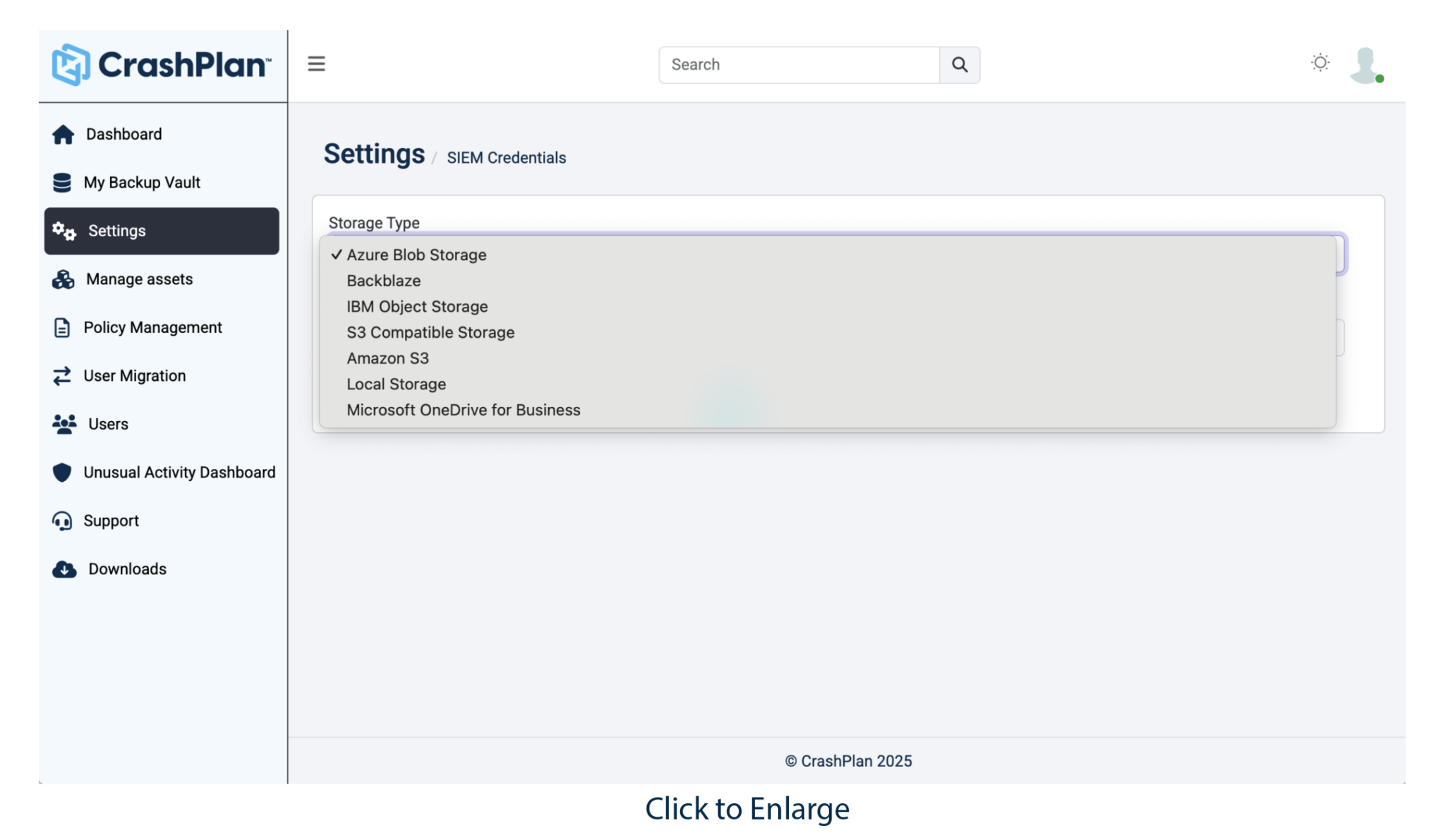
Storage is one of the biggest drivers of backup cost and complexity. Most vendors lock you into a single option. CrashPlan does the opposite. You choose what makes sense for your environment.
Flexible storage options: Store backups in CrashPlan data centers or Azure if you want a fully managed option. Or use your own cloud storage if that fits your broader strategy.
Align to your environment: Whether you are on-prem, hybrid, or cloud-first, you can match your backup storage to how your infrastructure is set up.
No lock-in: You are not tied to one model or one pricing structure. You stay in control.
Outcome: lower costs over time, more flexibility, and no need to redesign your architecture just to make backup work.
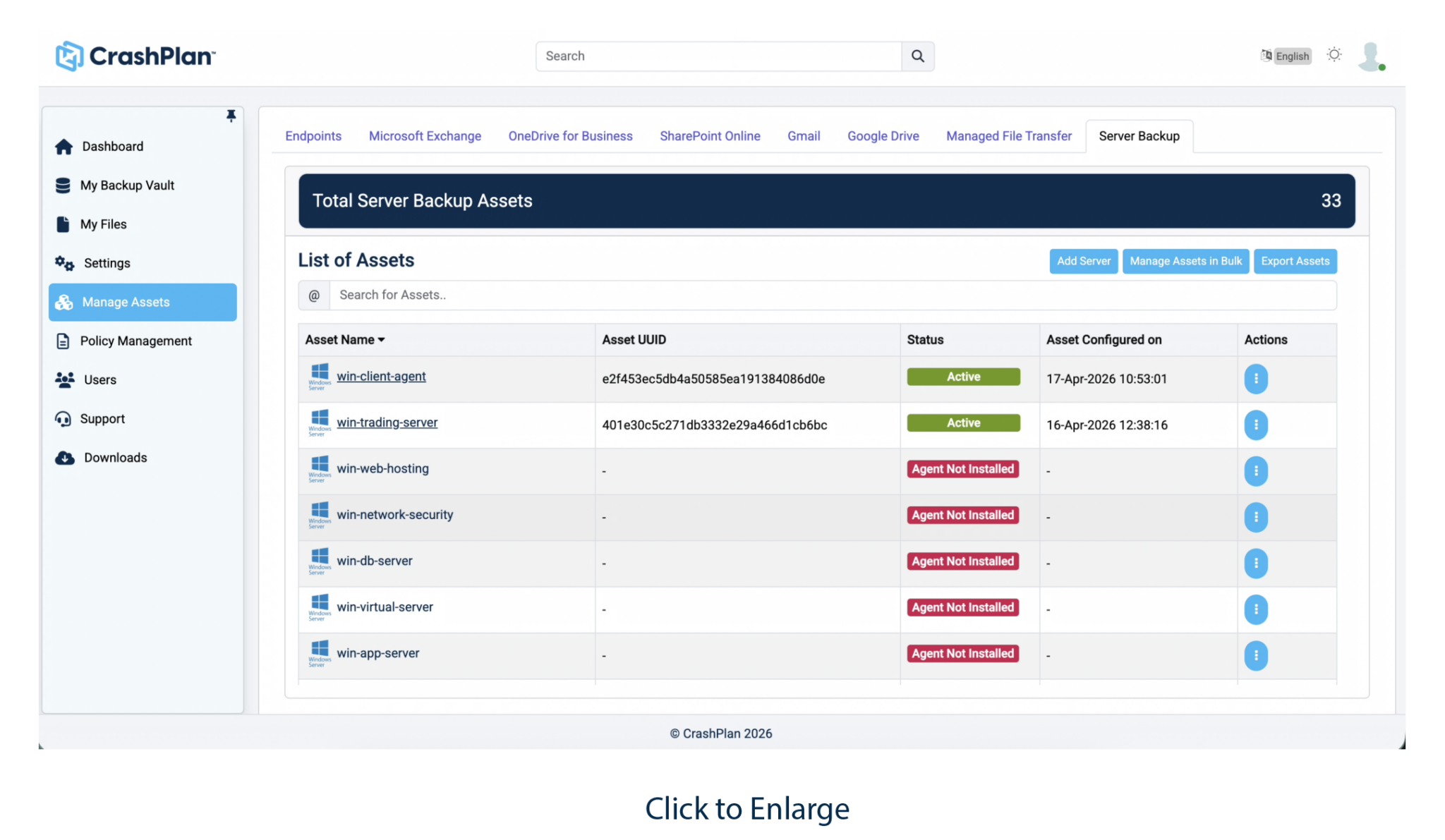
Server data does not stay still. It keeps growing across file shares, applications, and teams. If backup is not efficient, that growth turns into higher storage use, longer backup windows, and more overhead.
CrashPlan is built to keep things predictable as you scale.
Data efficiency: Deduplication, compression, and incremental backups reduce storage requirements and backup transfer volume without data loss.
Performance: Multi-threaded backups help move large amounts of data faster and keep backup windows under control.
Scales with you: Works across distributed environments without adding complexity.
Outcome: Steady, predictable growth, better use of storage, and backup that keeps up with your environment.
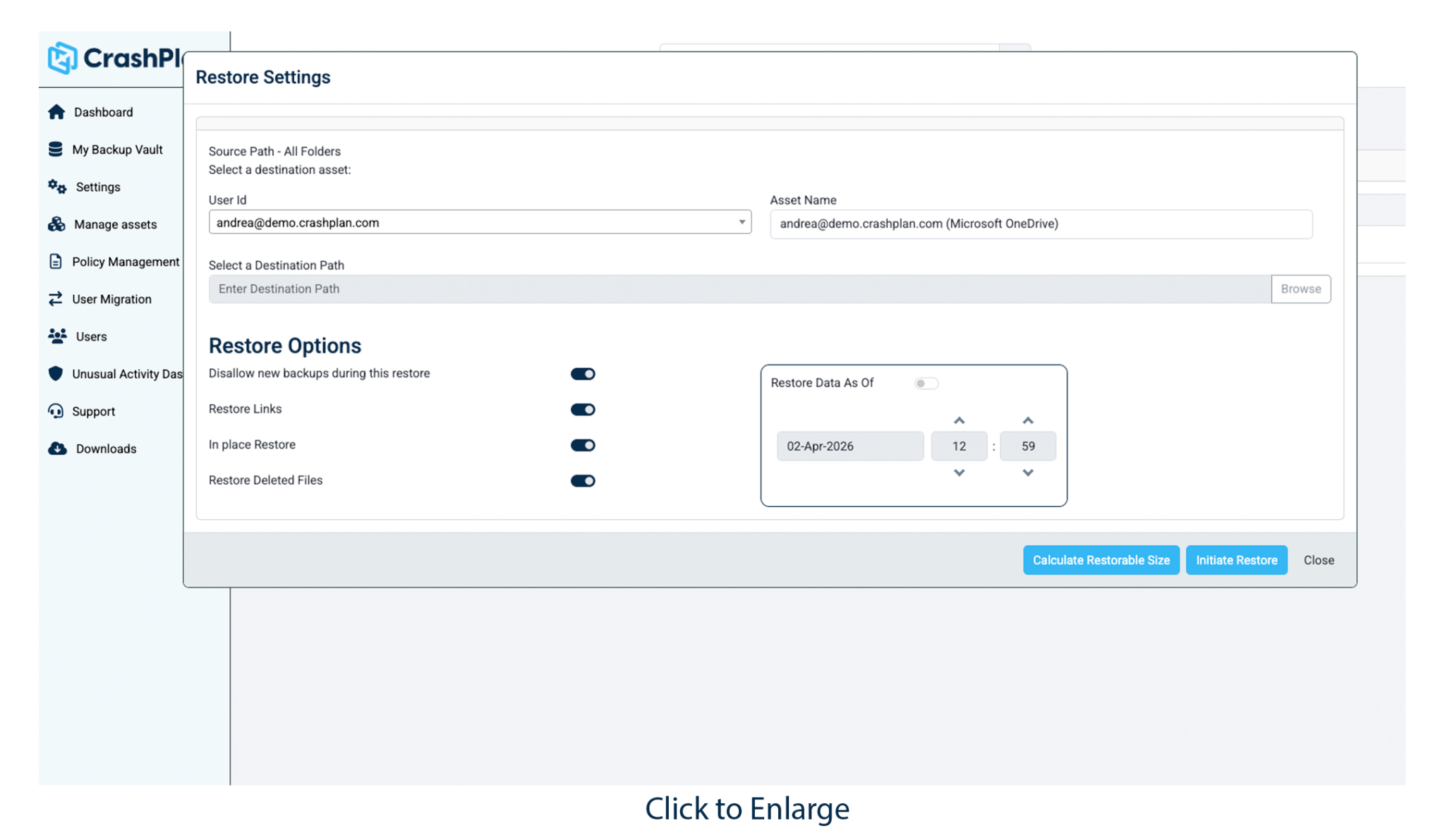
When server data is lost, the priority is simple. Get it back fast and get people working again.
CrashPlan focuses on making recovery straightforward and reliable.
Full recovery: Restore files, system state, and configurations so servers come back the way they were.
Granular recovery: Pull back a single file or folder without having to rebuild everything.
Ransomware recovery: Restore clean data from backups that are kept separate from production systems, supporting recovery from ransomware and other data loss events.
Centralized recovery: Manage all restores in one place across endpoints, Microsoft 365, and servers.
Outcome: Less downtime, faster recovery, and fewer disruptions for your teams.
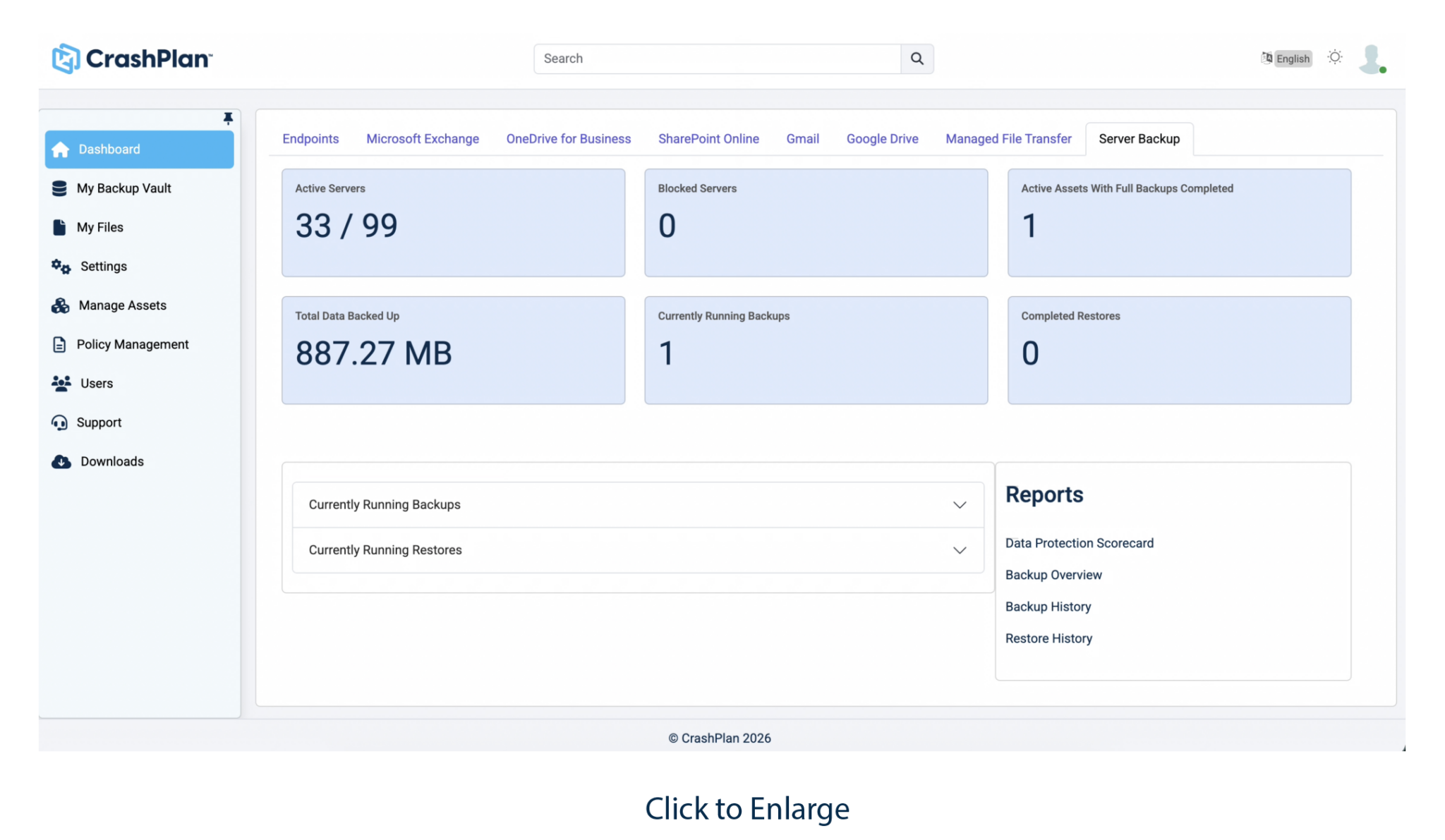
User data is spread across endpoints, Microsoft 365, and servers. A lot of teams still protect those separately, which creates gaps and makes things harder to manage.
CrashPlan brings everything together so you can treat it as one problem, without deploying appliances or any additional infrastructure.
One platform: Protect endpoint, Microsoft 365, and server data in the same place.
Full visibility: See what is protected and what is not without jumping between tools.
Simpler operations: Fewer systems to manage and fewer things that can go wrong.
Outcome: Complete coverage, less complexity, and more confidence that your data is actually protected.
CrashPlan makes backup and recovery simple and precise. Continuous, policy-driven and automated backup lets you choose the right recovery point to recover quickly, and minimize impact on users.
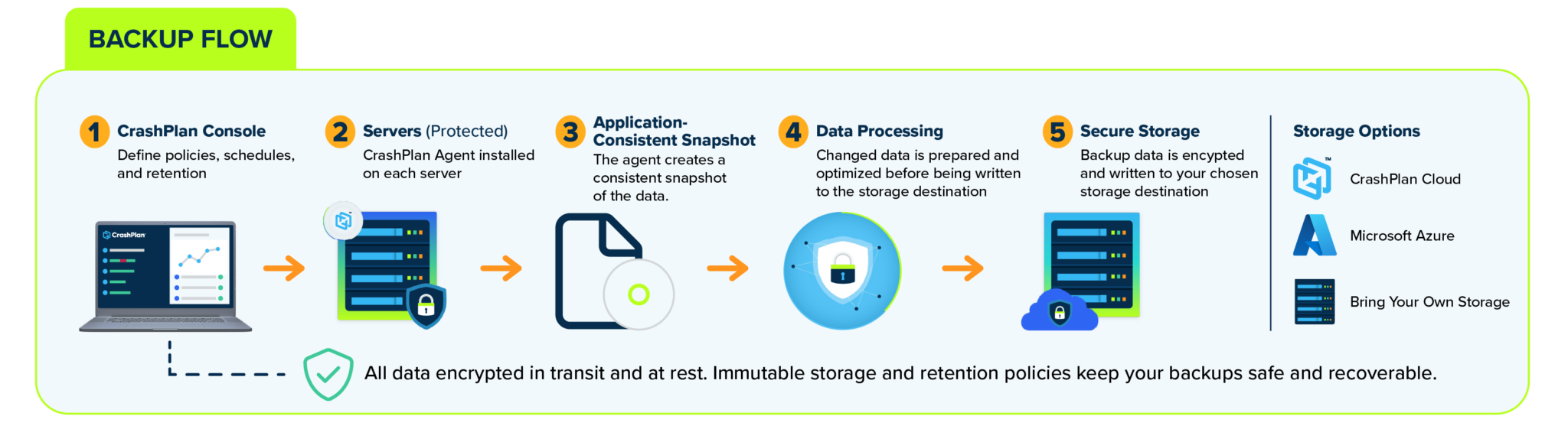
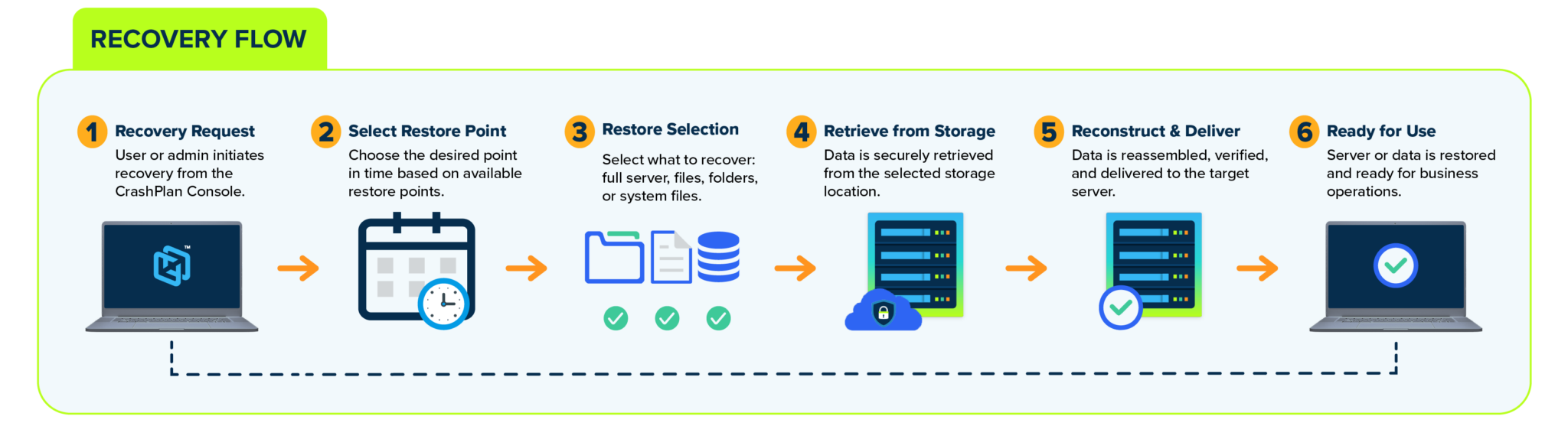
CrashPlan is designed to support modern, distributed environments without adding overhead.
It is built to scale as your environment grows, without making things harder to manage.

Backup is not just about storing data. It is about being able to trust it when you need it.
CrashPlan is designed to support enterprise requirements.
You get the control and confidence you need without adding complexity.
No. Server backup is part of the CrashPlan platform, so you can manage endpoints, Microsoft 365, and servers together.
You can use CrashPlan data centers, Azure, or your own storage depending on what works best for your environment.
Files, folders, system state, and other critical data used across your organization.
You can restore files, systems, or configurations from a central interface, so recovery is straightforward and quick.
Yes. CrashPlan is built to support distributed environments with centralized management and consistent policies.
One Platform for User Data Across Servers, Endpoints, and Microsoft 365
Make user data protection easy with the platform that unifies data backup and recovery across your most critical workloads.
