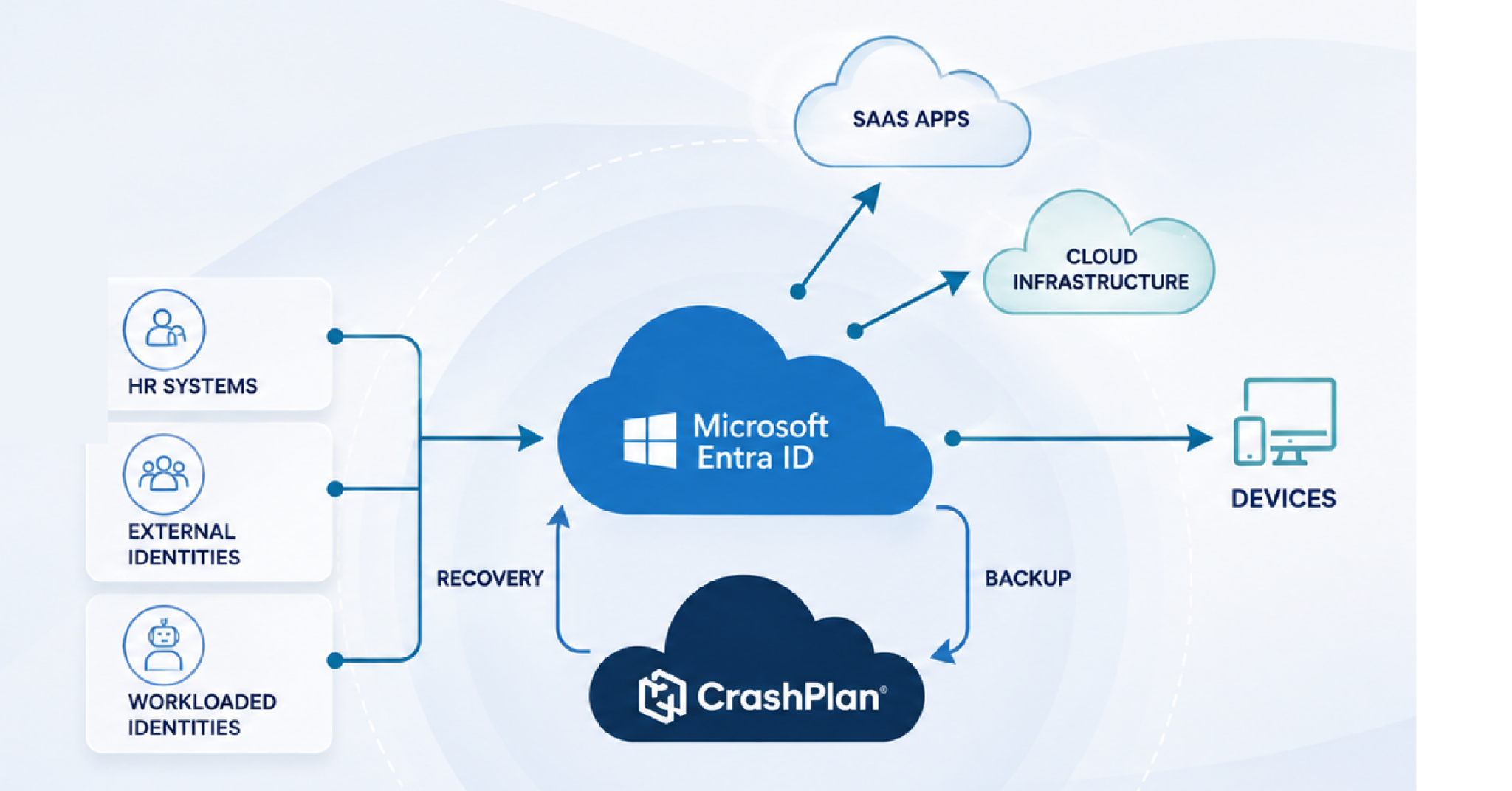
Microsoft Entra ID Backup & Recovery

Recover Microsoft Entra ID with precision

Go beyond short native recovery windows with independent backups, longer retention, and granular recovery of Entra ID objects, policies, and relationships.

  • Compare current and historical identity states
  • Recover objects without breaking dependencies
  • Protect Microsoft 365 access and data together

Entra ID recovery built for cloud-first IT

For IT teams that have moved away from on premises and hybrid Active Directory infrastructure, CrashPlan provides identity backup and recovery built specifically for your Entra ID-based environment, without unnecessary complexity.

You depend on Entra ID every day to access Microsoft 365, applications, and organizational resources. When objects, policies, or relationships are deleted, changed, or compromised, rebuilding them manually can extend downtime, overwrite legitimate changes, and introduce more errors. 

Recover exactly what needs to be recovered

Recover at the object, attribute, policy, or relationship level instead of relying on manual reconstruction or broad rollbacks that reverse both bad changes and good ones.

Restore a single user or configuration, recover multiple affected objects, recreate hard- and soft-deleted objects, or address a larger identity incident.

Extend recovery beyond the native window

Entra ID’s native 7-day retention windows can leave IT with no known-good state to return to. Identity problems can go undetected for more than seven days, while urgent incidents can require a recovery point from less than 24 hours ago.

CrashPlan allows for frequent backups and longer-term retention for more reliable recovery.

Compare current and historical identity states

When an identity incident happens, the first challenge is understanding exactly what changed so you know what needs to be restored. A compromised admin, failed script, or misconfiguration can alter objects, permissions, policies, and relationships across Entra ID.

Compare your current Entra ID environment with a historical backup, or compare two historical backups, to investigate what changed and identify exactly which objects, policies, and relationships need to be restored.

Protect identity and Microsoft 365 data together

Entra ID backup and recovery is included with CrashPlan Microsoft 365 backup and recovery.

Protect the identities that control access alongside the email, files, sites, and other Microsoft 365 data those identities help secure—all through one CrashPlan relationship and per-user licensing model.

Recover at the object, attribute, policy, or relationship level instead of relying on manual reconstruction or broad rollbacks that reverse both bad changes and good ones.

Restore a single user or configuration, recover multiple affected objects, recreate hard- and soft-deleted objects, or address a larger identity incident.

Entra ID’s native 7-day retention windows can leave IT with no known-good state to return to. Identity problems can go undetected for more than seven days, while urgent incidents can require a recovery point from less than 24 hours ago.

CrashPlan allows for frequent backups and longer-term retention for more reliable recovery.

When an identity incident happens, the first challenge is understanding exactly what changed so you know what needs to be restored. A compromised admin, failed script, or misconfiguration can alter objects, permissions, policies, and relationships across Entra ID.

Compare your current Entra ID environment with a historical backup, or compare two historical backups, to investigate what changed and identify exactly which objects, policies, and relationships need to be restored.

Entra ID backup and recovery is included with CrashPlan Microsoft 365 backup and recovery.

Protect the identities that control access alongside the email, files, sites, and other Microsoft 365 data those identities help secure—all through one CrashPlan relationship and per-user licensing model.

Extend Microsoft Entra ID recovery beyond the built-in window

Microsoft provides native Entra ID backup and recovery as part of its broader approach to recoverability. CrashPlan extends protection by adding more control over backup windows and retention, additional restore capabilities, and independent backup copies.

Capability


  • Backup frequency
  • Recovery history
  • Deleted object recovery
  • Backup independence
  • Historical comparison
  • Microsoft 365 data protection
  • Storage flexibility
  • Licensing

CrashPlan Entra ID backup and recovery


  • Automatic backups with configurable scheduling
  • Configurable longer-term retention
  • Soft and hard-deleted objects are recoverable
  • Independent backup copies through CrashPlan
  • Compare current state with historical backups, or compare historical backups
  • Entra ID protection included with CrashPlan Microsoft 365 backup and recovery
  • CrashPlan-managed or bring your own storage
  • Included with CrashPlan Microsoft 365 backup and recovery

Protect the identity layer behind Microsoft 365

See how CrashPlan can help your team recover Entra ID objects, policies, and relationships while protecting Microsoft 365 data through the same solution.

Secure and governed by design

Protect sensitive identity backup data with the same enterprise security and governance controls used across the CrashPlan platform.

Recover trusted identity state with greater control

Recover from accidental deletion or misconfiguration

Restore supported users, groups, applications, role assignments, Conditional Access policies, and related configurations after administrator error, a failed script, or an unintended change.

Understand what changed

Search historical backups and compare live Entra ID state with an earlier recovery point—or compare two historical backups—to identify changes before deciding what to restore.

Recover hard-deleted objects

Recreate supported Entra ID objects even after soft-delete recovery is no longer available, giving IT a recovery path when an object has been permanently deleted from the standard recovery window.

Recover from malicious identity changes

Use retained recovery points to help re-establish trusted policies, roles, groups, applications, and permissions after administrator compromise, malicious activity, or another identity incident.

Recover interconnected identity states

Restore objects without breaking dependencies. CrashPlan accounts for relationships between identity objects, such as group memberships, assignments, owners, permissions, and policy references.

Support audit and investigation

Retain historical configuration state together with backup and restore audit trails to provide evidence of past identity state and recovery activity.

Protect the Entra ID objects that control access

CrashPlan Entra ID backup and recovery is designed to protect identity objects, security configurations, and the relationships between them.

Category
Examples of protected data
Users and groups
Users, groups, memberships
Roles and permissions
Administrative roles, role assignments, app permissions
Applications
Service principals, enterprise applications, app registrations
Conditional Access
Conditional Access policies and related references
Authentication
Authentication methods and strengths, MFA configuration references
Security and authorization
Named locations, authorization policies, other supported security policies
Relationships
Memberships, assignments, owners, permissions, and policy references

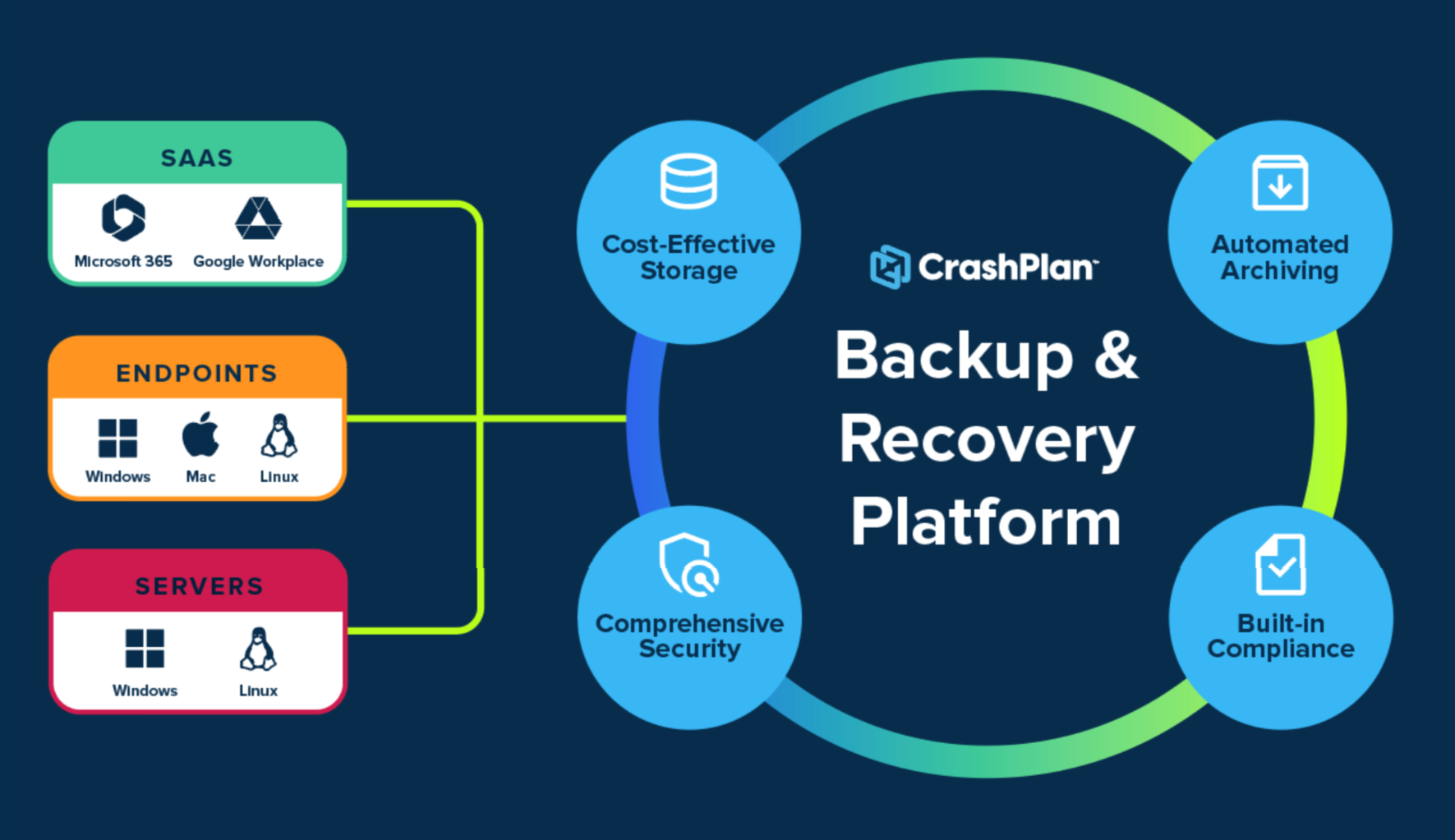
Entra ID is only one part of the data IT teams need to keep recoverable.

CrashPlan extends protection across Microsoft 365, endpoints, servers, and Google Workspace while giving organizations greater control over backup storage, recovery, security, retention and archiving.

Microsoft 365

Entra ID protection comes with backup and recovery for your users’ Exchange, SharePoint, and OneDrive data.

Endpoints

Protect user data stored on Windows, Windows on ARM, macOS, and Linux devices.

Servers

Protect user data stored on Windows, Windows on ARM, macOS, and Linux devices.

Google Workspace

Extend SaaS backup and recovery to Gmail and Google Drive.

CrashPlan Entra ID Backup & Recovery Specifications

Category
CrashPlan Entra ID backup and recovery
Who it’s for
Enterprise and institutional IT organizations using Microsoft Entra ID
Product model
Entra ID backup and recovery is included with CrashPlan Microsoft 365 backup and recovery
Licensing and included storage
Entra ID backup and recovery is included with CrashPlan’s Microsoft 365 backup and recovery solution, which is licensed per user with 50 GB of CrashPlan-managed pooled storage per user included; customer-managed storage options are also available
Platform hosting
CrashPlan is hosted in Microsoft Azure
CrashPlan-managed storage
Microsoft Azure or CrashPlan proprietary data centers
Customer-managed storage
Microsoft Azure, Amazon Web Services, Wasabi, Backblaze, and supported S3-compatible storage
Backup method
Automatic, incremental backups to cloud storage, with configurable scheduling and retention
Protected identity objects
Users, groups and memberships, administrative roles and role assignments, service principals, enterprise applications, app registrations, app permissions, and more
Protected security objects
Conditional Access policies, named locations, authentication methods and strengths, MFA configuration references, authorization policies, and more
Restore types
Dependency-aware recovery of single objects and attributes, multiple objects and attributes, or bulk restoration
Point-in-time recovery
Point-in-time recovery of objects, attributes, policies, and relationships
Historical comparison
Compare current Entra ID state with a backup, or compare historical backups, to identify changes
Recovery controls
Restore preview, permission validation, approval controls for high-risk restores, conflict handling, and post-restore validation
Administration
Role-based access control, delegated administration, granular search, configurable reports, and alerts
Encryption
AES-256 encryption at rest and TLS 1.2 or later in transit
Encryption-key control
Customer-controlled encryption keys
Backup security
Immutable backup copies
Compliance and governance
Audit trails, storage-location choice, policy-based retention, and defensible deletion

FAQs

1. What is CrashPlan Entra ID backup and recovery?

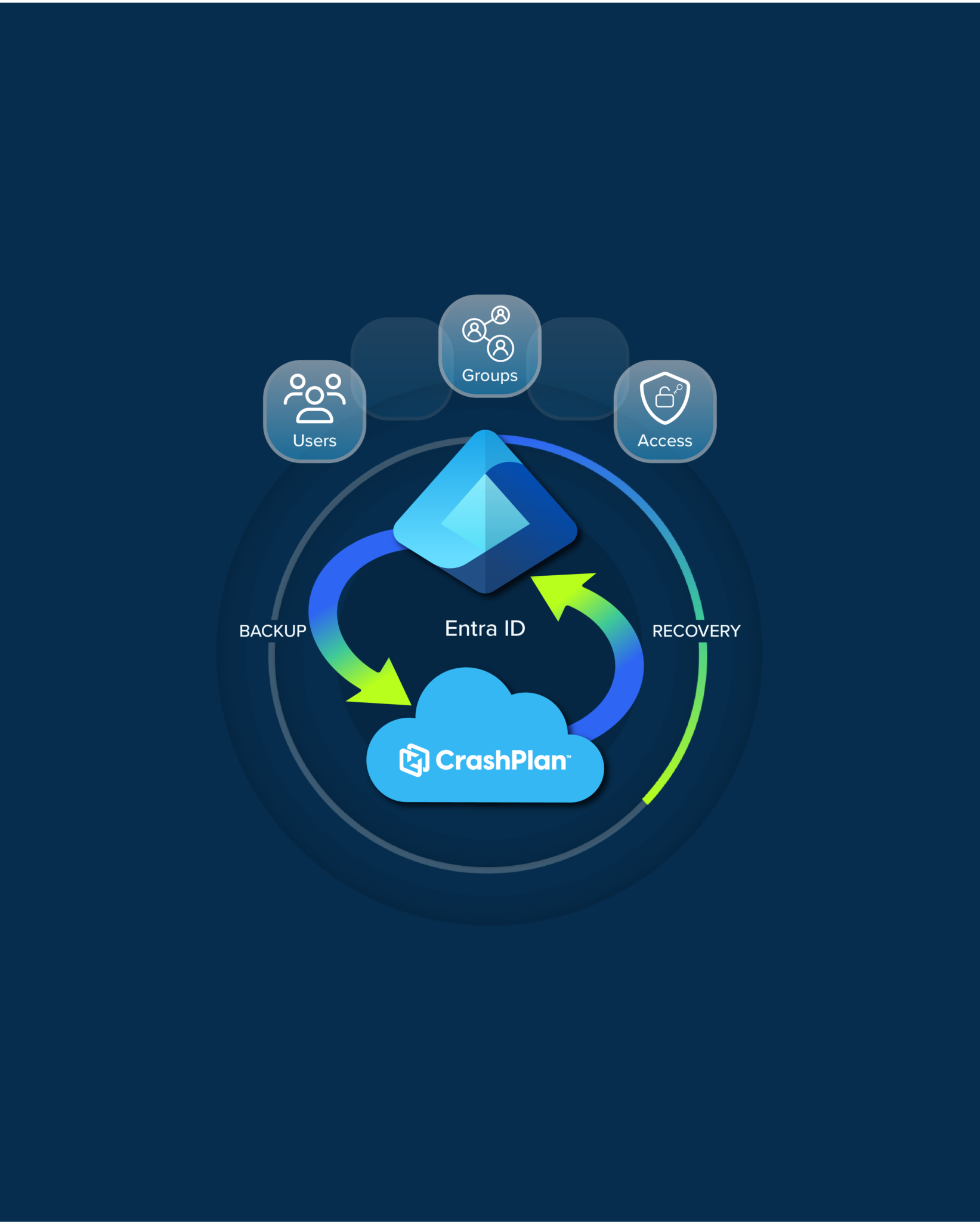
CrashPlan Entra ID backup and recovery protects supported Microsoft Entra ID objects, configurations, and relationships so organizations can compare historical identity state and recover from accidental deletion, misconfiguration, malicious changes, and other identity incidents.

2. Why do organizations need to back up Microsoft Entra ID?

Entra ID controls authentication, authorization, Conditional Access, privileged roles, application access, and other critical identity functions. If those settings or relationships are deleted or changed, users can lose access, security controls may stop applying, and recovery can require extensive manual reconstruction.

3. Does Microsoft already back up Entra ID?

Yes. Microsoft provides built-in Entra ID backup and recovery. It creates backups once per day and retains them for up to seven days. CrashPlan is designed to extend recovery beyond that window with configurable longer-term protection, independent backup copies, and additional recovery control.

4. Why might a seven-day recovery window not be enough?

Identity compromises and configuration problems are not always discovered immediately. An attacker, compromised administrator, or unintended configuration change may alter roles, permissions, applications, or security policies well before the issue is detected, making access to older known-good recovery points important.

5. What Microsoft Entra ID objects does CrashPlan protect?

Protection includes supported identity objects such as users, groups and memberships, administrative roles and role assignments, service principals, enterprise applications, app registrations, and app permissions. Supported security objects include Conditional Access policies, named locations, authentication methods and strengths, MFA configuration references, authorization policies, and other security policies.

6. Can CrashPlan restore individual Entra ID objects?

CrashPlan is designed to support granular recovery of individual supported objects and attributes, as well as multi-object and bulk recovery when an incident affects a broader set of identity data.

7. What is dependency-aware recovery?

Entra ID objects frequently depend on one another. Users belong to groups, roles depend on principals, and Conditional Access policies can reference groups, applications, named locations, and authentication settings. CrashPlan is designed to account for those relationships so supported identity state can be recovered in the appropriate order.

8. Can I compare my current Entra ID environment with an earlier backup?

CrashPlan is designed to compare the current tenant with a historical backup, or compare two historical backups, so administrators can identify changes before deciding what needs to be recovered.

9. Can CrashPlan recover hard-deleted Entra ID objects?

Yes, CrashPlan can recreate supported objects when soft-delete recovery is no longer available.

10. How is Entra ID backup secured?

CrashPlan uses immutable backup copies, AES-256 encryption at rest, TLS 1.2 or later in transit, customer-controlled encryption-key options, role-based access controls, multi-factor authentication, and audit logging across the platform.

11. Where can Entra ID backups be stored?

CrashPlan supports CrashPlan-managed storage as well as supported customer-managed storage options, giving organizations greater flexibility over where backup data is stored and helping align protection with infrastructure, cost, and data-residency requirements.

12. Is CrashPlan Entra ID backup a standalone product?

No. Entra ID backup and recovery is included with CrashPlan Microsoft 365 backup and recovery.

13. Does CrashPlan protect on-premises Active Directory?

CrashPlan Entra ID backup and recovery is focused on Microsoft Entra ID and does not provide on-premises Active Directory backup and forest recovery. It is designed for organizations that need protection for cloud-based Entra ID identity.

14. Does CrashPlan protect more than Microsoft Entra ID?

Yes. The CrashPlan platform also provides backup and recovery for Microsoft 365, Google Workspace, endpoints, and servers, with flexible storage and Microsoft 365 archiving capabilities available across the broader platform.

Protect the identity layer your Microsoft 365 environment depends on

See how CrashPlan can extend Entra ID recovery beyond native limits and bring identity recovery together with Microsoft 365 data protection in one platform.