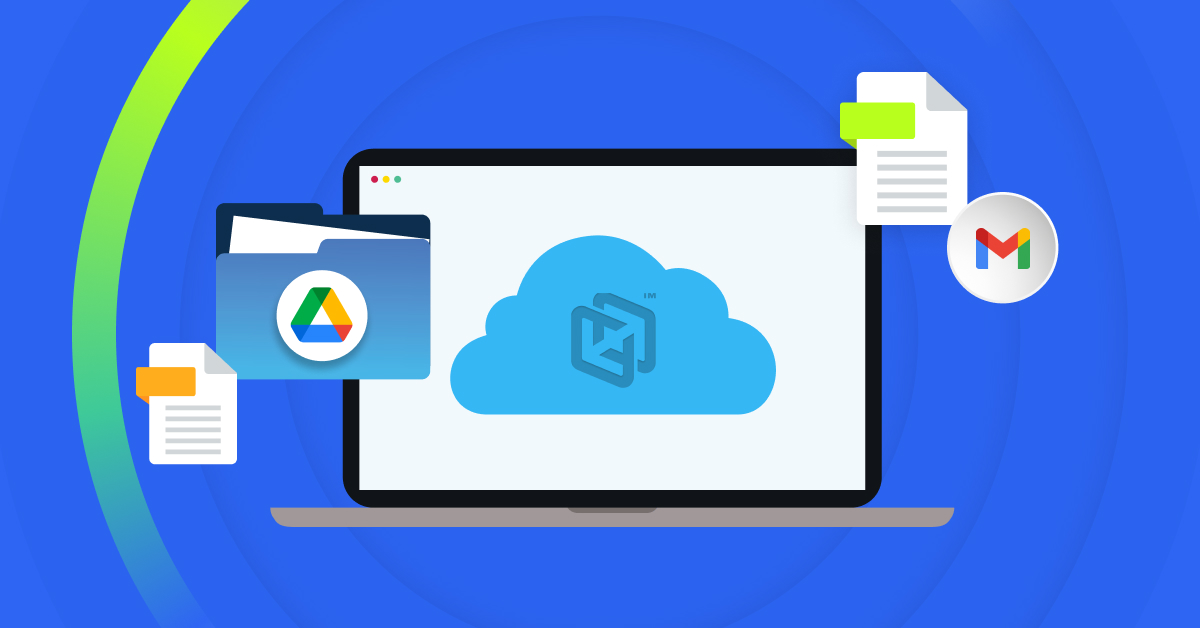
CrashPlan provides Google Workspace backup for small and midsize businesses, protecting Gmail emails and attachments and Google Drive files and folders. Automated cloud-to-cloud backups maintain a separate copy of business data, with flexible retention and self-service recovery to help small IT teams manage protection and everyday restore requests.
For businesses evaluating backup, the practical questions are what data is covered, how recovery works, and how much administration the service requires. This article explains what CrashPlan offers and how it complements Google Workspace’s native recovery capabilities.
Does Google Workspace need third-party backup?
Google Workspace includes some native retention and recovery capabilities, but native recovery and independent backup solve different problems.
Data can disappear in ordinary ways. An employee deletes the wrong Drive folder. Someone leaves the company, and you need information tied to their account later. Files or emails are removed unexpectedly. A malicious action or ransomware incident affects business data at scale. An older record suddenly becomes important for an audit or customer request.
CrashPlan maintains a separate backup copy of protected Gmail and Google Drive data so recovery is not limited to what remains available in the production environment.
Flexible retention also gives IT more control over how long protected data remains available. For businesses that depend on Google Workspace for critical day-to-day work, that additional recovery path can help turn a disruptive data-loss event into a manageable one.
Google Workspace native recovery vs. CrashPlan backup
When evaluating Google Workspace backup, it helps to distinguish between native recovery tools and a dedicated backup solution.
| Capability | Google Workspace native capabilities | CrashPlan for Google Workspace |
| Gmail and Google Drive recovery | Native recovery options are available for deleted Gmail and Drive data, but are subject to specific recovery windows and scenarios | Comprehensive backup and recovery for Gmail and Google Drive |
| Independent backup copy | Data protection and recovery remain within the Google Workspace environment | Maintains a separate cloud-based backup copy |
| Retention | Native recovery has defined time limits. | Flexible, customizable backup retention policies independent of Google Workspace native recovery windows |
| Ransomware and malicious deletion recovery | Recovery depends on versions, Trash, admin recovery or other retained data still being available | Immutable backups and point-in-time recovery provide another, separate recovery path |
| Granular recovery | Recovery options vary by service and scenario; some admin restores operate across a selected date range rather than individual items | Recover files, emails, folders, and mailboxes |
| Self-service recovery | Limited recovery is available to users for some scenarios; most recovery scenarios require an admin. | Enables users to restore their own protected data without requiring IT for every recovery |
The key difference is that while Google Workspace has some native recovery and retention capabilities, they don’t match an independent backup service. A dedicated backup gives your business another place to recover from when production data is no longer available in the form you need.
What Google Workspace data does CrashPlan protect?
CrashPlan for Google Workspace protects business data in Gmail and Google Drive.
That includes emails and attachments in Gmail, along with files and folders stored in Google Drive. CrashPlan supports recovery from individual items, folders, and mailboxes, depending on what you need to restore.
This scope is worth checking carefully when comparing backup providers. Not every Google Workspace backup product protects the same services or offers the same recovery options.
CrashPlan helps small businesses protect the Gmail and Google Drive data their employees rely on every day.
How easy is CrashPlan for Google Workspace to deploy and manage?
A backup product can have a strong feature list and still be a poor fit for a small IT team if it takes too much effort to run.
CrashPlan is cloud-native, so there are no backup servers, appliances, or additional storage infrastructure to deploy and maintain. A setup wizard helps administrators configure protection, while centralized management provides visibility across protected users.
Policy-based backups help IT apply consistent protection without configuring every account individually. Role-based access control provides additional administrative control, and backups run automatically once protection is configured.
That matters when the same IT team is already responsible for security, identity, endpoints, applications, infrastructure, and user support. Backup should reduce risk without becoming another source of operational overhead.
How does Google Workspace recovery work with CrashPlan?
The value of backup becomes clear when someone needs data back.
CrashPlan supports recovery of files, emails, folders, and mailboxes. Point-in-time recovery lets users and administrators restore protected data to an earlier point when something has been deleted, changed, or affected by an incident.
Indexed search makes it easier to locate recoverable information, especially when someone knows what they need but cannot remember exactly where it lived.
Self-service restore can also keep routine data-loss issues away from the help desk. Employees can recover protected data themselves instead of automatically opening a ticket and waiting for IT to handle the request.
That helps employees get back to work faster while reducing the number of recovery tasks competing for IT’s attention.
How does CrashPlan help with ransomware and malicious deletion?
Ransomware resilience is not only about prevention. It is also about having a reliable recovery option when something gets through.
CrashPlan uses immutable backups to maintain protected Google Workspace data separately from the primary environment. Point-in-time recovery gives businesses another way to recover data from before an incident.
That approach can also help when information is intentionally or accidentally deleted. Rather than relying only on the affected production environment, IT has a separate copy available for recovery.
For a small business without a dedicated incident response team, a straightforward recovery path can be an important part of a broader resilience strategy.
How does CrashPlan manage Google Workspace backup storage?
CrashPlan for Google Workspace includes 50 GB of cloud storage per user, pooled across the organization.
Pooling helps because Google Workspace usage is rarely distributed evenly. One employee may use relatively little Gmail and Drive storage while another works with large files or retains significantly more data.
Pooled storage lets you share capacity across protected users instead of leaving unused space tied to individual accounts.
CrashPlan also uses deduplication and compression to reduce unnecessary storage consumption. Flexible policies give IT additional control over retention as the organization’s Google Workspace data grows.
What should small businesses look for in Google Workspace backup?
If you are comparing Google Workspace backup solutions, start with recovery rather than simply checking whether a product performs backups.
Ask:
- What Google Workspace services are protected?
- What can I restore?
- Does the product maintain a separate backup copy?
- Can I recover data from an earlier point in time?
- How flexible are the retention policies?
- Can users handle routine restores themselves?
- How easily can IT find recoverable data?
- Is backup data protected from ransomware and malicious deletion?
- Does the product require infrastructure for my team to maintain?
- Can policies and users be managed centrally?
- How will storage work as our data grows?
These questions get closer to what matters during an actual data-loss event. The goal is not simply to have a backup job running. It is to know that your team can recover the data the business needs without unnecessary downtime or administrative work.
Is CrashPlan for Google Workspace right for your business?
CrashPlan for Google Workspace is designed for small and midsize businesses that rely on Gmail and Google Drive but do not want the infrastructure or administrative burden of a complex backup environment.
It may be a strong fit if your business:
- Depends on Gmail and Google Drive for important day-to-day work
- Has a small IT team with limited time to manage backups
- Wants recovery options beyond native Google Workspace capabilities
- Needs more flexible retention
- Wants a separate backup copy for ransomware and data-loss recovery
- Wants employees to handle routine restores without always involving IT
- Needs centralized visibility and policy-based protection
- Expects its Google Workspace data footprint to grow
Your employees already depend on Google Workspace to keep work moving. CrashPlan gives your business another way to recover when important files and emails are no longer where they should be.
Protect Gmail and Google Drive with backup built for small IT teams. Get started with CrashPlan for Google Workspace.
About the Author